
TIME & ATTENDANCE · FACE ID
Bildin Attendance
Face ID clock-in / clock-out for your crews and your subs: each on their own phone, or everyone on one shared kiosk. Geofenced, works offline.
Explore AttendanceAI-POWERED LABOR PRODUCTIVITY TRACKING
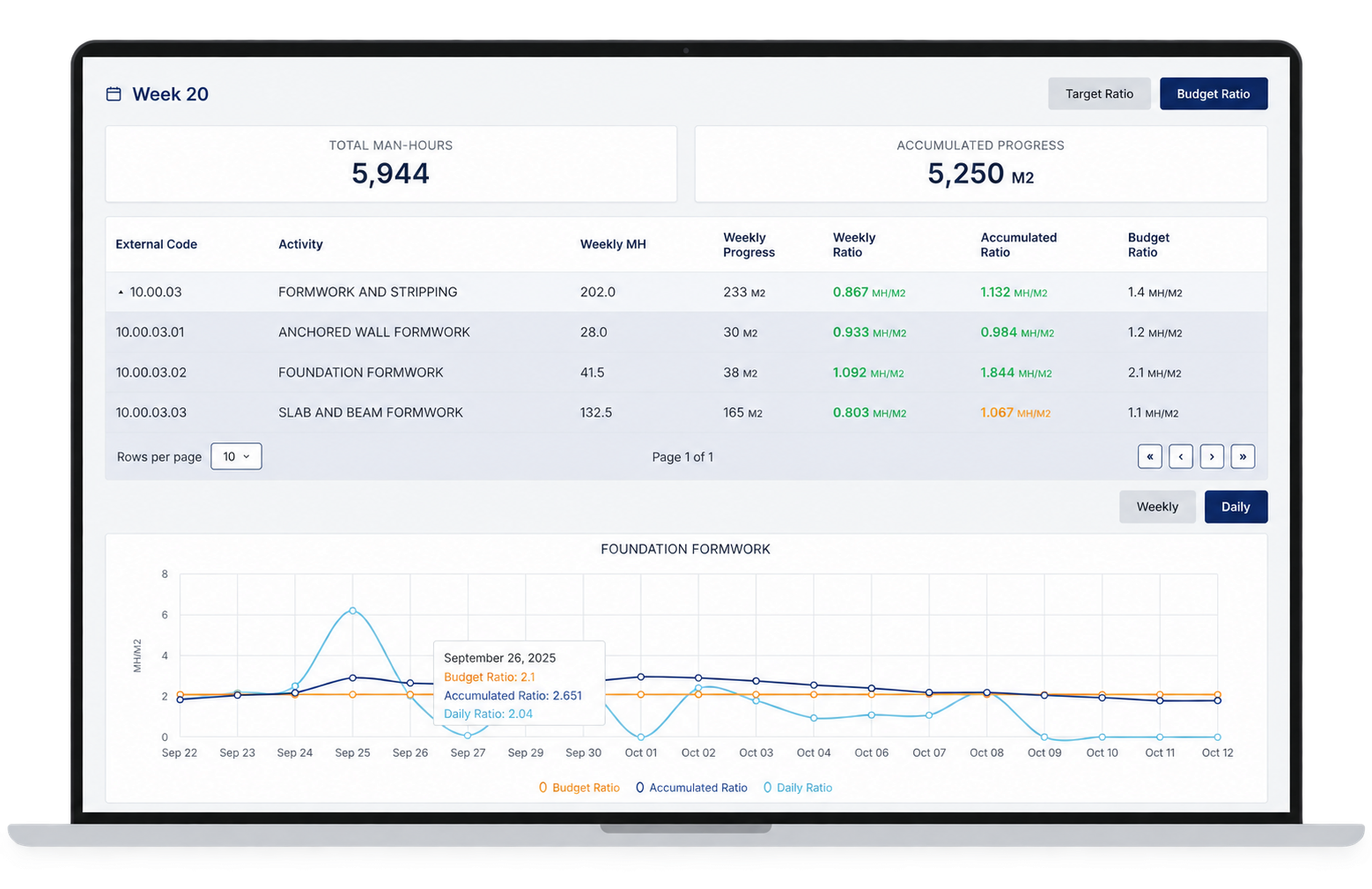
Track every worker's hours by activity and location, measure labor hours per unit against your budget, and let Bildin's AI flag productivity drops before they hit your margin.
Hours per worker, by activity and location
Labor hours per unit vs. budget, every day
Drops flagged before they cost you
Payroll, ERP and estimating, connected
























SOLUTIONS
Attendance → Timekeeping → Quantities → Productivity. Each step works on its own. Combine them and Bildin unlocks more: Attendance auto-matches to Timekeeping, and Timekeeping + Quantities gives you productivity rates.
TIME & ATTENDANCE · FACE ID
Face ID clock-in / clock-out for your crews and your subs: each on their own phone, or everyone on one shared kiosk. Geofenced, works offline.
Explore AttendanceTIMEKEEPING & LABOR ALLOCATION
Crew timecards that auto-match with attendance, allocated down to sub-activity and sub-location, tracked against your hours budget.
Explore TimekeepingINSTALLED QUANTITIES · BIM OPTION
Installed quantities and percent complete. Quantities Pro logs them straight from the 3D model.
Explore Quantities· Bildin compares both and flags differences. Nothing is overwritten: you match as needed.
· Attendance alone records who's on site, not activities, so it can't measure productivity.
LABOR PRODUCTIVITY · AI-POWERED
The whole flow in one record: from clock-in to labor hours per unit vs. budget, with AI that tells your team what to do next.
Explore LaborTrackA daily record of what happened on site: manpower, hours, work completed, materials and issues.
Connect your payroll, ERP, HR and estimating software: budgets in, approved hours and costs out.
Material receiving and issues by location and activity, spend vs. budget alerts, and waste measured against BIM progress.
Explore MaterialsEach sub's progress vs. plan, delay risk flagged early, and pay applications against the schedule of values.
Explore SubsTHE WORKFLOW
Most crews already clock in. What's missing is everything after: which activity the hours went to, what got installed, and whether that rate is on budget. Bildin connects all of it.
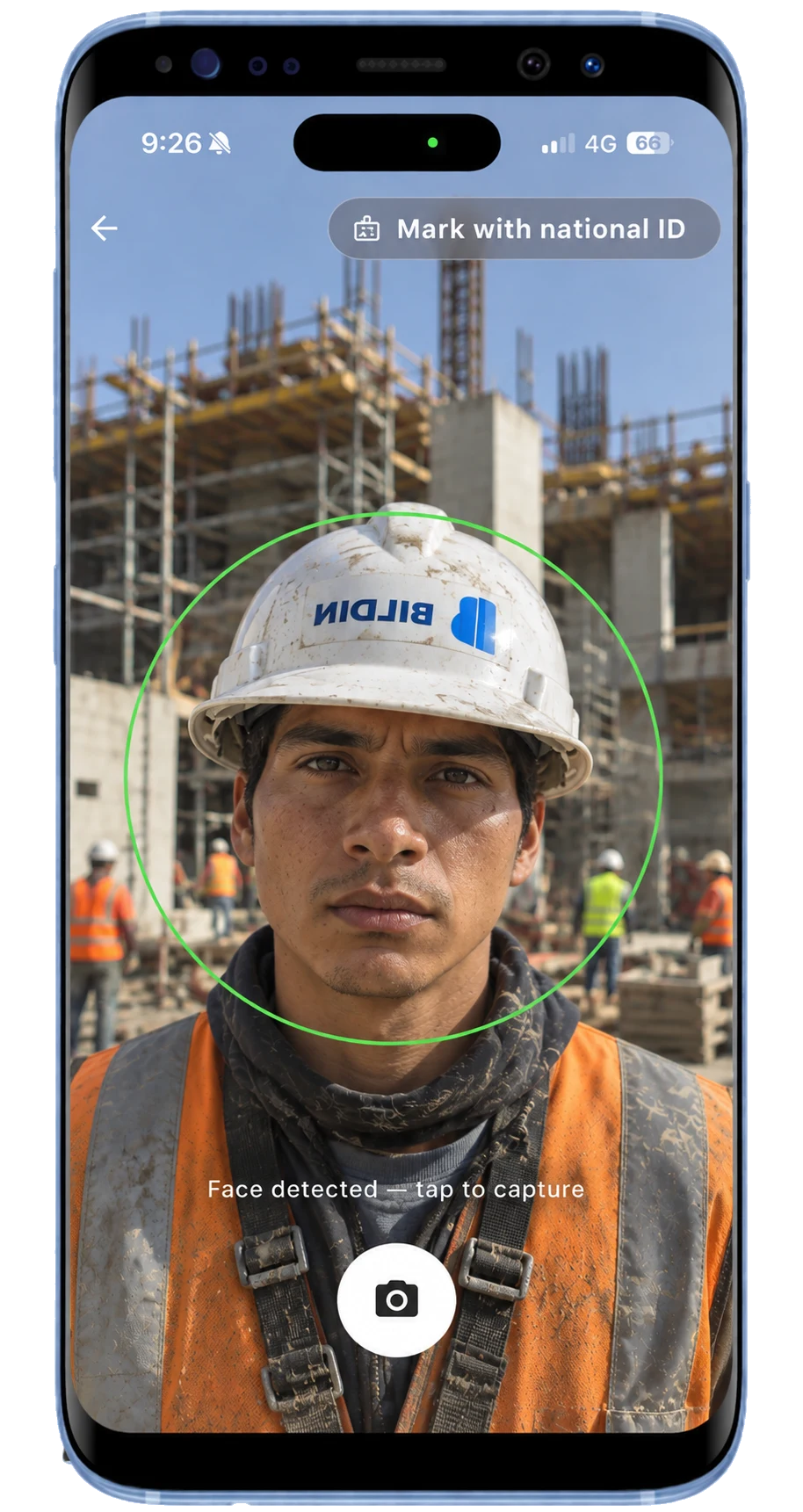
Face ID on each worker's own phone, or everyone on one shared kiosk at the entrance. Every hour belongs to a real worker.
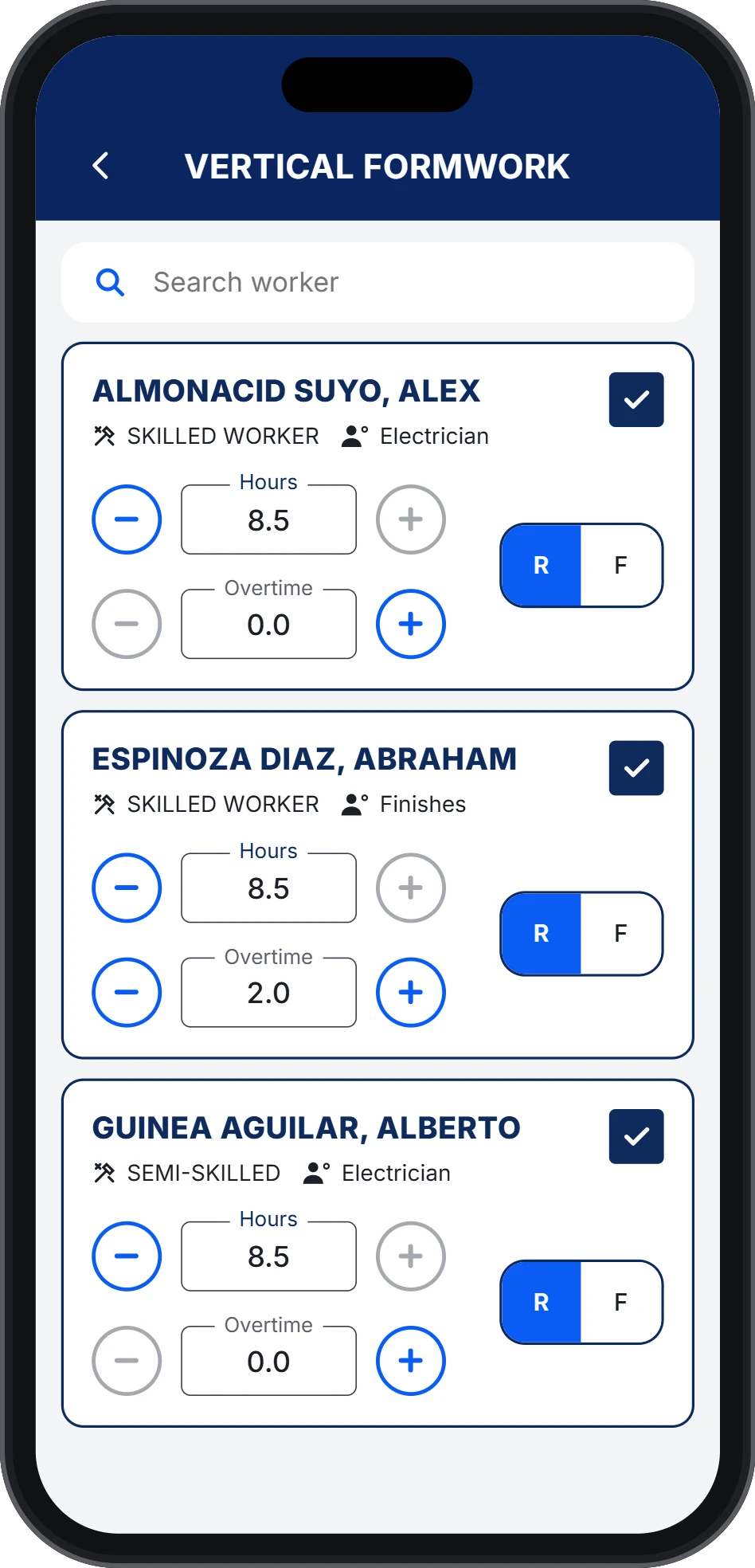
Clock-ins auto-match to crew timecards, with differences flagged. Foremen split hours by cost code, activity and location.
Crews log daily progress in the units you estimate in: sf, cy, tons, lf.
Actual labor hours per unit vs. budget, by crew, activity and project. Updated daily.
Bildin's AI flags when a crew's rate drifts from budget, while there's still time to fix it.
AI-POWEREDApproved hours flow to payroll and your ERP through our API. No retyping, no disputes.
01 · TIME & ATTENDANCE
Hours start with a verified worker, not a paper sheet or a buddy punch.
02–03 · TIMEKEEPING & QUANTITIES
Clock-ins are matched against each worker's timecard and any difference is flagged. The foreman just codes the hours and logs today's installed quantities from the jobsite.
AI recommends: reassign 2 workers to another activity or raise daily output to get back on budget.
04–05 · LABOR PRODUCTIVITY & AI ALERTS
See where labor cost is going while the work is still happening, not when the month closes.
WHO IT'S FOR
Subcontractors with their own crews, GCs that self-perform, and any builder ready to cut labor costs with AI-powered productivity.
Forming, placing and finishing tracked per sf, cy and ton.
Walls and ceilings measured per sf, by floor and zone.
Erection, deck and block crews against tonnage and unit counts.
Conduit, pipe and duct productivity per lf, by system.
Your own crews held to the same rates as your best subs.
Ops leaders, project controls, superintendents, foremen and payroll on one record.
RESULTS
70%
less admin work on site
$12K
avg. yearly savings per client from real-time site control
5%
of project budget saved with labor productivity and AI alerts
$145K
saved on a $2.9M project. The bigger the budget, the bigger the savings.
Based on Bildin customer results. Savings vary by project.

EVERY WORKER, EVERY DAY
Labor cost under control, crew by crew.
Up to 5% saved
WHY BILDIN
Keep the clock-in your crews know. Bildin adds everything a time clock can't tell you.
| CAPABILITY | TIME-CLOCK APPS | BILDIN |
|---|---|---|
| Clock-in / clock-out | Yes | Yes, biometric |
| Hours by activity and location | Limited | Yes |
| Installed quantities | No | Yes |
| Labor hours per unit vs. budget | No | Yes |
| Alerts when a rate drifts | No | Yes |
| Payroll-ready hours | Yes | Yes |
| API integrations with payroll, ERP and estimating | Limited | Yes |
BACKED BY




Schedule a 30-minute call with our team and learn about the solutions Bildin has to offer.